

Sell or rent out your season pass. If you can't go, let another fan enjoy it.
You paid for the whole season, but you can't always go. On Stadibox you list your seats or season pass only for the dates you won't use, and another fan takes your place.
- Autódromo Hermanos Rodríguez
- Estadio Akron
- Estadio Banorte
- Palacio de los deportes
- Arena CDMX
- Teatro Metropolitan
- Auditorio Telmex
- Auditorio Citibanamex
- Estadio Caliente
- Pepsi Center WTC
- Estadio GNP Seguros
- Auditorio GNP Puebla
- Coliseo GNP Seguros
- Estadio Jalisco
- Estadio Mobil Super
- Monumental Plaza de Toros
- Estadio Universitario Beto Avila
Who it's for
Seats and season passes: your seats, your dates
The typical case: you have a pass for the whole season and can't make every date. Instead of leaving your seat empty, you list it on Stadibox for that date and another fan gets to use it.
- You have a season pass and there are matches you won't make it to.
- You own seats and want to make the most of the dates you skip.
- You don't want to sell on your own on social media or chase payments.
- You'd rather another fan enjoyed your seat than leave it empty.

The whole season
Register once, list only the dates you won't use
What you can register
Season pass or seats: both are just as easy to sell
Pass
Season pass
Your right of access to a venue's events for the whole season. You register it once and list only the dates you won't use.
Seats
Seats: your numbered seats
One or more seats with an exact location inside the venue, which you own. You offer them for the events you choose.
Season rental
Would you rather rent it for the whole season?
Stadibox finds someone to rent it for the whole season and you get paid without worrying about each match. You can request it when registering or talk to an advisor first.
Only for season seats: your spot for several years. A season pass (one season) doesn't qualify.
What we do for you
What we do for you
It's not just posting a listing: it's having someone handle everything that comes after.
Register once, we suggest the dates
You register your seats or season pass just once. From then on we suggest the events at your venue where you can list them, and you decide which ones.
Every other date is yours
You list only the events you choose; for the rest, you use your seat. You can pause whenever you like.
We review your documents
We review your documents to confirm the seats are yours. That's what gives buyers confidence.
We collect, deliver and support
We charge the buyer, coordinate delivery and support them until they're in their seat.
No selling on your own
No posting in groups, haggling over messages or meeting up to get paid. The buyer pays on Stadibox.
Real demand
Dates your seat could sell for
These events are already available on Stadibox.
Sports
See all Sun Nov 22 2026See the event
Chivas vs Cruz Azul
Estadio Akron
Register your seats or season pass to list them here Sun Nov 22 2026See the event
NFL México Vikingos de Minnesota vs San Francisco 49ers
Estadio Banorte
Register your seats or season pass to list them here Mon Dec 7 2026See the event
Capitanes vs Rio Grande
Arena CDMX
Register your seats or season pass to list them here Tue Dec 8 2026See the event
Capitanes vs Rio Grande
Arena CDMX
Register your seats or season pass to list them here Mon Dec 14 2026See the event
Capitanes vs Memphis Hustle
Arena CDMX
Register your seats or season pass to list them here Tue Dec 15 2026See the event
Capitanes vs Memphis Hustle
Arena CDMX
Register your seats or season pass to list them here
Concerts
See all Sun Nov 22 2026See the event
Corona Capital 2026 - Sunday - The Strokes, The xx and more
Autódromo Hermanos Rodríguez
Register your seats or season pass to list them here Mon Nov 23 2026See the event
Soda Stereo
Palacio de los deportes
Register your seats or season pass to list them here Tue Nov 24 2026See the event
Boynextdoor Tour
Arena CDMX
Register your seats or season pass to list them here- Wed Nov 25 2026See the event
Babasonicos
Palacio de los deportes
Register your seats or season pass to list them here  Wed Nov 25 2026See the event
Giants Rooks
Teatro Metropolitan
Register your seats or season pass to list them here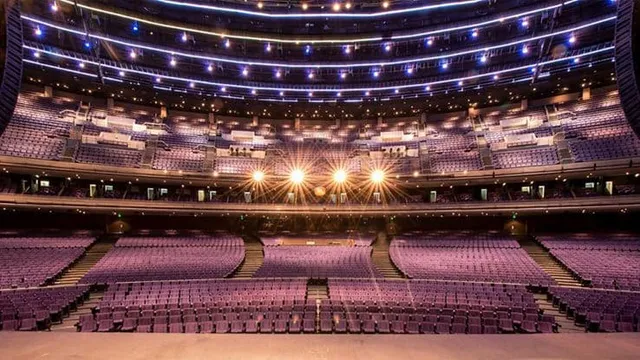 Wed Nov 25 2026See the event
LP - Laura Pergolizzi
Auditorio Telmex
Register your seats or season pass to list them here
Your money
How the price adds up and when you get paid
Stadibox adds its service fee on top of your price, in what the buyer pays: we charge you no fee. Only the tax withholdings required by law are deducted from your payout.
Your price
The one you choose when you list
Service fee
Added by Stadibox, paid by the buyer
Buyer's price
What they see and pay on Stadibox
An example
If you set 1,000 MXN per seat, you receive 1,000 MXN per seat, before the tax withholdings required by law. The buyer pays the service fee on top of your price.
Before you publish you see the exact amount and what the buyer will pay.
When do you get paid?
24 to 72 business hours after the event, to the account you registered. If your tax details are missing, it can take up to 15 more business days.
Nobody pays to rank higher
On Stadibox nobody can buy the top spots. Your listing competes with the rest on equal terms.
How to start
From registering your pass to getting paid
- 1
Register your seats or pass
Venue, zone and your seats. It saves as a draft — you can finish later.
- 2
Upload your documents and get approved
Your official ID, a proof of address no older than 3 months and the title or proof of purchase for your seats or season pass. Once approved, your seats are ready to list.
- 3
Choose dates and price
We suggest the events at your venue; you decide which to list and for how much.
- 4
It sells and you get paid
We charge the buyer and coordinate delivery.

FAQ
Questions from seat and pass owners
Can I sell just some dates of my season pass?
Yes. Your pass is registered once and you choose which events to list it for. The dates you don't list are still yours.
What's the difference between seats and a season pass?
Seats are numbered seats you own. A season pass is your right of access to your team's events during the season. Both are registered and listed the same way.
How much does listing cost me?
Registering and listing costs you nothing.
Can I pause a date if I end up going after all?
Yes, you can pause or remove your listings whenever you like and use your seat whenever you want to go. Anything you've already sold must be delivered; otherwise a penalty applies.
How does the buyer get the seat?
We coordinate delivery with the buyer and support them until they're in their seat. If we need anything from you for the handover, we'll ask in good time.
What documents do I need?
Your official ID, a proof of address no older than 3 months and the title or proof of purchase for your seats or season pass. Your ID and proof of address are uploaded only once, even if you register several properties. We review everything before approving it.
Other ways to sell
Got something else? We sell that too
Don't let your pass miss a single date
Register it once and list only what you won't use. Nothing goes live until you choose.